
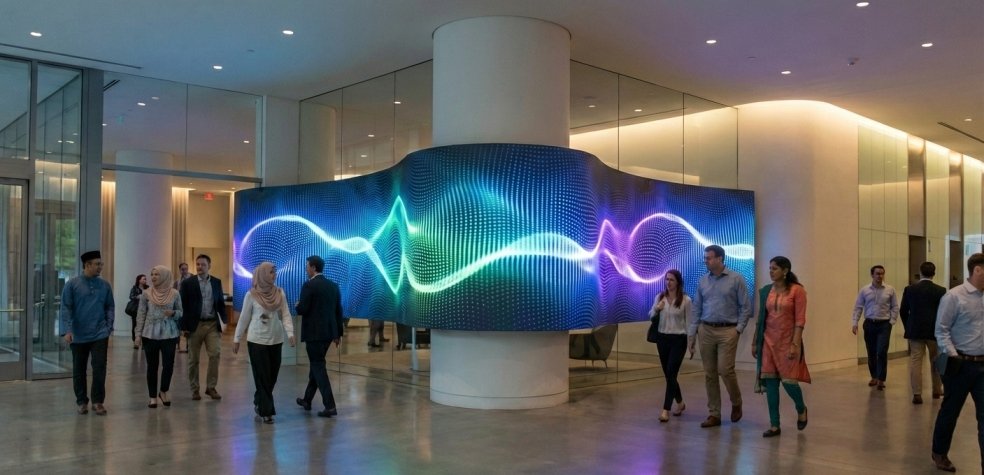
Walking into a modern shopping centre, corporate lobby, or entertainment venue often means being greeted by a massive, vibrant digital display. These massive panels grab attention immediately. They offer sharp text, vivid colours, and fluid motion that older projection systems simply cannot match.
The secret behind this visual revolution is the indoor led screen. This technology has rapidly grown in popularity, replacing traditional video walls and LCD monitors. Businesses choose them because they offer seamless displays without the distracting bezels found on traditional monitors.
But what actually goes on behind the glowing surface? Understanding the hardware and software that powers these displays helps organisations make better choices when investing in visual technology. This guide explains the mechanics, brightness considerations, resolution, and calibration methods that make these displays so effective.
Understanding the Mechanics: Pixels and Diodes
To grasp how these displays work, you need to look closely at the surface. An LED (Light Emitting Diode) screen is made up of millions of tiny light sources.
For indoor displays, manufacturers typically use Surface-Mounted Device (SMD) technology. In an SMD setup, the red, green, and blue (RGB) diodes are packaged tightly together into a single tiny module. Each of these modules acts as a single pixel.
When a video signal is sent to the display, a control system tells each individual diode how brightly to shine. By mixing different intensities of red, green, and blue light, a single pixel can produce millions of distinct colours. Because the diodes generate their own light, the resulting image features incredible contrast and deep black levels.
The Importance of Brightness in Indoor Environments
Brightness is measured in units called ‘nits’. Outdoor displays often require a massive brightness output—sometimes exceeding 5,000 nits—to compete with direct sunlight. Indoor environments require a completely different approach.
An indoor screen typically operates between 500 and 1,000 nits. Pushing the brightness too high in a moderately lit room causes eye strain and makes the viewing experience uncomfortable for the audience.
The goal is to balance visibility with viewer comfort. Instead of relying on raw brightness, indoor displays focus on high contrast ratios and colour reproduction. This ensures the content looks vibrant and clear under standard architectural lighting without glaring aggressively at the people passing by.
Resolution and Pixel Pitch
When evaluating screen quality, you will frequently encounter the term ‘pixel pitch’. Pixel pitch is the distance, measured in millimetres, from the centre of one pixel to the centre of the next.
Choosing the Right Density
A smaller pixel pitch means the pixels are closer together, resulting in a higher pixel density and a greater overall resolution. For example, a screen with a P1.5 pitch has 1.5 millimetres between pixels. This is ideal for close-up viewing, such as in a boardroom or a retail display where customers stand just a few feet away.
Conversely, a P4 screen has a 4-millimetre gap between pixels. This works perfectly well for a large stage backdrop or an arena screen, where the audience sits much further back. Choosing the correct pixel pitch is crucial. Paying for an ultra-fine pitch is an unnecessary expense if the closest viewer is twenty metres away.
Calibration Techniques for Flawless Visuals
Even the highest quality diodes can have slight variations in colour and brightness straight out of the factory. If left unchecked, these tiny inconsistencies create a blotchy or mismatched appearance across a large video wall.
Calibration solves this problem. During the manufacturing and installation process, technicians use specialized cameras and software to measure the light output of every single pixel.
The control system then applies a correction map. If one specific green diode is naturally 2% brighter than its neighbour, the software automatically dims it to match. This process ensures uniform brightness and strict colour accuracy across the entire display. Proper calibration is what makes a massive wall of modular LED panels look like one single, seamless screen.
Practical Applications for Modern Spaces
Organisations across various sectors utilise this technology to engage their audiences and share information effectively.
In retail environments, massive digital walls showcase high-definition product videos and seasonal campaigns, drawing foot traffic into the store. Corporate offices use fine-pitch screens in their boardrooms for video conferencing and data presentation, replacing washed-out projectors.
Event spaces, television studios, and control rooms also rely on these displays. The reliability, long lifespan, and exceptional viewing angles make them a highly versatile communication tool for almost any indoor setting.
Selecting the Perfect Display for Your Space
Investing in visual technology requires careful consideration of your specific environment. A high-performance display relies on the right combination of pixel pitch, controlled brightness, and precise colour calibration.
By understanding how the diodes work and how they are controlled, you can confidently choose a system that meets your viewing distance requirements and lighting conditions. With regular maintenance and proper initial calibration, a quality LED installation will provide stunning, reliable visuals for years to come.