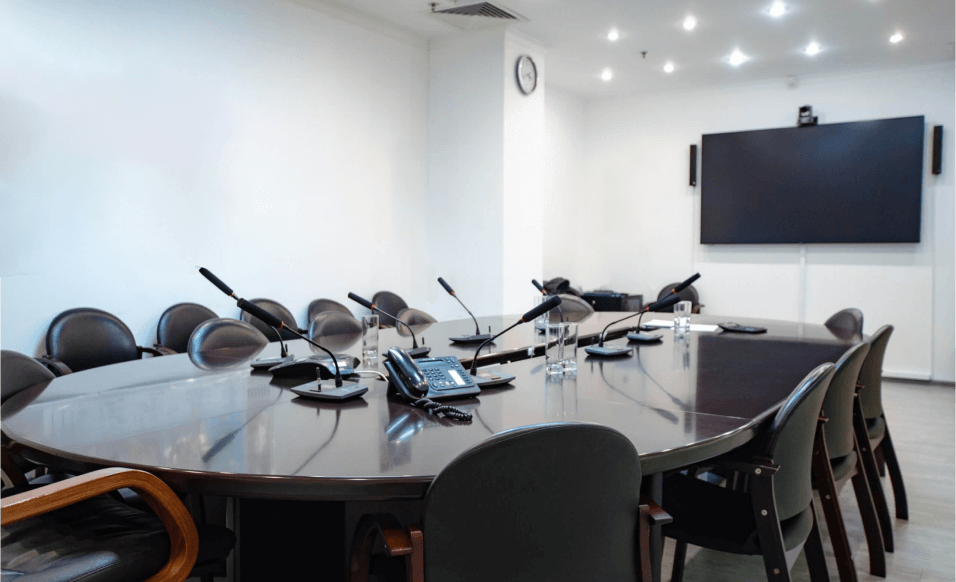
Corporate Video Conferencing Setup: Building Smarter, More Connected Workplaces
In today’s fast-moving business world, communication is everything. With hybrid work, global teams, and remote collaboration becoming the norm, a reliable corporate video conferencing setup is no longer optional—it’s a core business infrastructure. When done right, it turns meetings into meaningful conversations instead of technical struggles.
Many organizations still rely on improvised setups that lead to poor audio, awkward visuals, and wasted time. A professional corporate video conferencing setup, on the other hand, ensures clarity, consistency, and confidence in every meeting—whether it’s a leadership discussion, client presentation, or cross-department collaboration.
This guide explores how businesses can design, implement, and optimize corporate video conferencing environments that truly support modern work.
Why Corporate Video Conferencing Setup Is a Business Priority
Corporate meetings today involve more than people sitting around a table. They include remote executives, international clients, hybrid employees, and shared digital content. Without the right setup, communication gaps appear quickly.
A professional corporate video conferencing setup helps organizations:
- Communicate clearly across locations
- Maintain a polished, professional image
- Reduce meeting delays and technical issues
- Improve productivity and decision-making
- Support hybrid and remote work models
When technology works seamlessly, teams can focus on ideas—not troubleshooting.
Key Components of a Corporate Video Conferencing Setup
A successful setup is built from multiple elements working together. Skipping or underestimating any one of them can impact the entire meeting experience.
High-Quality Video Conferencing Displays
Corporate conference rooms require displays that are large enough and sharp enough for everyone to see remote participants and shared content clearly. Dual-screen setups are commonly used to show participants on one screen and presentations on the other.
Professional Cameras for Business Environments
Unlike basic webcams, enterprise-grade cameras are designed for meeting rooms. They offer features such as:
- Wide-angle coverage for large rooms
- Auto-framing and speaker tracking
- Smooth pan, tilt, and zoom functionality
These features ensure remote participants always have a clear, natural view of the room.
Clear and Reliable Audio Systems
Audio quality often matters more than video. Corporate video conferencing setups typically include:
- Ceiling or tabletop microphones
- Echo and noise cancellation
- Strategically placed speakers for even sound distribution
When everyone can hear and be heard clearly, meetings become more efficient and engaging.
Control Systems and Scheduling Integration
Touch controllers and room scheduling panels allow employees to start meetings with one tap, reducing confusion and wasted time. Calendar integrations keep meetings organized and on schedule.
Planning a Corporate Video Conferencing Setup the Right Way
Before installing equipment, businesses must plan carefully. Every organization has different needs, room sizes, and meeting styles.
Assess Room Size and Usage
Boardrooms, training rooms, executive offices, and huddle spaces all require different configurations. A room used for presentations will have different requirements than one designed for brainstorming sessions.
Understand Meeting Types
Is the room used mainly for internal meetings, client calls, or executive briefings? Understanding usage helps determine camera angles, microphone placement, and display requirements.
Evaluate Lighting and Acoustics
Poor lighting and echo-filled rooms can ruin even the best technology. Professional setups consider:
- Balanced lighting that avoids glare and shadows
- Acoustic treatments to reduce echo and background noise
- Proper placement of equipment to enhance clarity
Step-by-Step Corporate Video Conferencing Setup Process
Step 1: Selecting the Right Equipment
Choosing video conferencing hardware that is certified and compatible with major platforms ensures reliability and performance. Equipment should be scalable so it can grow with your organization.
Step 2: Strategic Installation and Placement
Camera height, microphone spacing, and speaker positioning all affect meeting quality. Equipment should feel natural and unobtrusive while delivering optimal performance.
Step 3: Network and Connectivity Optimization
A corporate video conferencing setup relies on a stable, high-speed internet connection. Wired connections are preferred to minimize lag, dropped calls, and interruptions.
Step 4: Software Configuration and Integration
Once hardware is installed, video conferencing software is configured for:
- Optimized audio and video settings
- Screen sharing and content collaboration
- Calendar and scheduling integration
This step ensures meetings start quickly and run smoothly.
Step 5: Testing and Fine-Tuning
Testing ensures everything works together seamlessly. Audio levels, camera framing, and connectivity are adjusted to deliver a consistent experience for every meeting.
Common Mistakes in Corporate Video Conferencing Setups
Even well-intentioned setups can fall short due to common errors:
- Using consumer-grade equipment in large rooms
- Poor microphone placement leading to echo or muffled audio
- Inadequate lighting that affects video quality
- Overcomplicated controls that confuse users
- Ignoring future scalability
Avoiding these mistakes saves time, reduces frustration, and improves ROI.
Benefits of a Professional Corporate Video Conferencing Setup
Enhanced Communication
Clear audio and sharp video reduce misunderstandings and keep participants engaged, whether they’re in the room or joining remotely.
Increased Productivity
Meetings start on time, technical issues are minimized, and discussions stay focused. This leads to faster decisions and better outcomes.
Stronger Brand Image
A polished video conferencing environment reflects professionalism and credibility—especially important for client-facing meetings.
Support for Hybrid Work
Corporate video conferencing setups bridge the gap between in-office and remote employees, creating inclusive and collaborative environments.
Corporate Video Conferencing for Different Business Spaces
Executive Boardrooms
These spaces require premium audio, multiple cameras, and high-end displays to support leadership meetings and presentations.
Conference and Training Rooms
Flexible setups with multiple microphones and content-sharing tools support collaboration, learning, and group discussions.
Huddle Rooms and Small Meeting Spaces
Compact systems with wide-angle cameras and simple controls are ideal for quick team meetings and brainstorming sessions.
Hybrid Collaboration Rooms
Hybrid spaces focus on making remote participants feel equally involved through intelligent camera framing and advanced audio pickup.
Future-Proofing Your Corporate Video Conferencing Setup
Technology evolves quickly, and corporate environments must keep up. Choosing modular systems and scalable equipment allows organizations to adapt without replacing everything.
Regular maintenance, software updates, and performance reviews help ensure long-term reliability and consistent meeting quality.
Final Thoughts: Invest in Communication That Works
A well-designed corporate video conferencing setup is more than a technical upgrade—it’s a strategic investment in how your organization communicates, collaborates, and grows. When meetings run smoothly, teams work better together, and businesses present themselves with confidence.
For organizations looking to build reliable, scalable, and professional video conferencing environments, Video Conferencing NY delivers expert solutions tailored to real corporate needs—helping businesses communicate clearly in every meeting.