
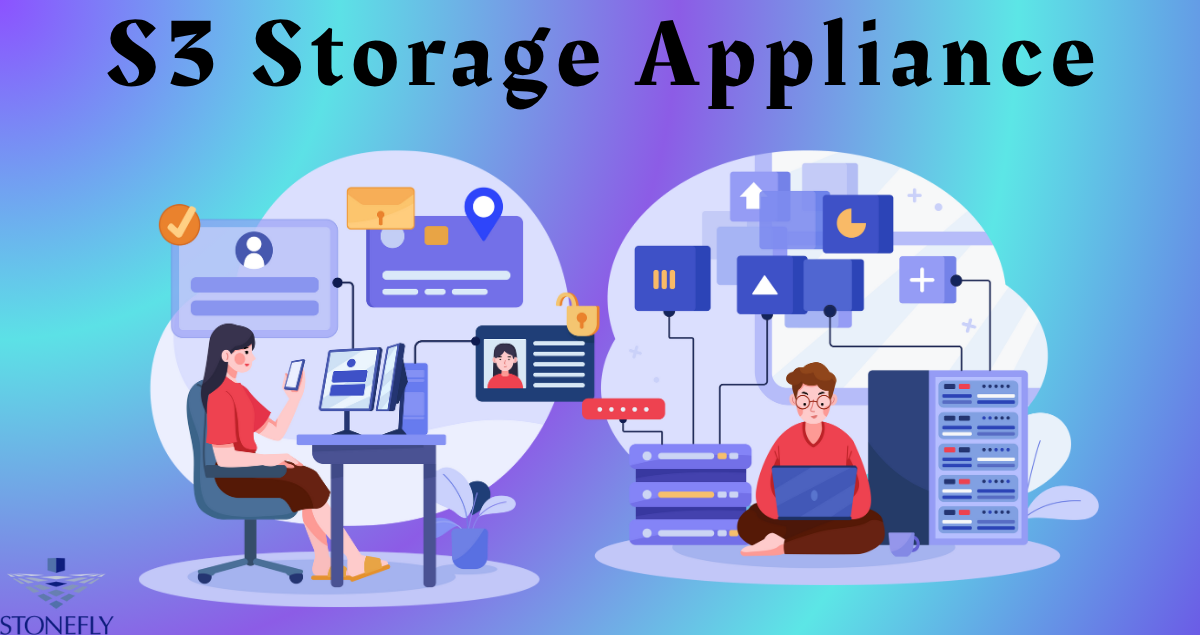
Managing vast amounts of unstructured data has become a major challenge for modern organizations. From enterprise backups to video archives and analytics data, companies need storage that is scalable, cost-efficient, and easy to manage. An S3 Storage Appliance offers the ideal balance — providing S3-compatible object storage within a self-contained hardware system that can be deployed on-premise or at edge locations for total control and high performance.
What is an S3 Storage Appliance?
An S3 Storage Appliance is a hardware-based storage system that supports the S3 API for object storage operations. It brings the same scalability and accessibility associated with cloud object storage into a local or hybrid environment. Each appliance integrates compute, storage, and network resources into a unified platform, eliminating the complexity of building and maintaining separate storage clusters.
The appliance uses object storage architecture — meaning data is stored as objects within buckets, each containing the data itself, metadata, and a unique identifier. This flat structure makes it easier to scale without the limitations of file hierarchies or volume management.
Why Businesses Are Turning to S3-Compatible Appliances
As data volumes surge, enterprises need flexible storage without the hidden costs or latency associated with public cloud services. Here’s why many organizations are adopting appliance-based object storage:
1. Complete Data Ownership
Businesses maintain full physical and administrative control over their data. There’s no dependency on third-party cloud providers, and compliance with data sovereignty requirements becomes simpler.
2. Predictable and Lower Long-Term Costs
Public cloud storage often introduces variable charges for data access and egress. An on-premise appliance, however, offers predictable pricing and fixed capacity costs — an advantage for organizations managing terabytes or petabytes of data.
3. Seamless S3 Compatibility
S3 compatibility means the appliance can integrate effortlessly with existing backup software, analytics tools, and enterprise applications that already support the S3 API.
4. High Performance with Low Latency
Local deployment ensures faster read/write speeds compared to cloud-based systems. This makes S3 appliances perfect for workloads requiring real-time access, such as AI/ML training, video rendering, or large dataset processing.
5. Built-in Redundancy and Data Protection
Most S3 appliances support erasure coding, replication, and data healing features to ensure reliability and high availability across nodes or drives.
Core Components of an S3 Storage Appliance
1. Object Storage Engine
The software layer that handles object creation, indexing, replication, and retrieval via the S3 API.
2. Hardware Infrastructure
High-capacity disks or SSDs arranged across multiple nodes. Some appliances use all-flash storage for low-latency performance, while others combine HDDs for high capacity.
3. Management Console
A web-based interface for configuring users, buckets, and access policies. It also tracks storage utilization, health metrics, and performance.
4. Network Layer
Ensures efficient communication between storage nodes and clients. High-speed Ethernet and redundancy are typically standard.
5. Security Features
Encryption at rest and in transit, access control lists (ACLs), role-based access control (RBAC), and support for secure authentication protocols.
How an S3 Storage Appliance Works
An S3 Storage Appliance operates on the principle of object storage. When a file is uploaded, it’s broken into objects, assigned metadata, and distributed across storage nodes for redundancy. Each object is retrievable through an S3-compatible API request using its unique key.
This setup eliminates single points of failure and allows near-infinite scalability — new nodes can be added to expand capacity without downtime or migration. Data replication and integrity checks ensure that stored content remains consistent and recoverable at all times.
Advantages of Deploying an S3 Storage Appliance
Scalability
Unlike traditional SAN or NAS solutions, object storage scales horizontally. Adding capacity is as simple as adding more drives or nodes.
Ease of Management
The appliance format reduces complexity. Everything — software, hardware, and networking — is integrated, tested, and ready to deploy.
Performance Optimization
Built-in caching, parallel data access, and load balancing ensure consistent throughput even under heavy workloads.
Multi-Tenant Support
Administrators can allocate storage to multiple departments or projects while maintaining strict access isolation and usage tracking.
Enhanced Security
Encryption, access policies, and immutability options protect against unauthorized access and ransomware.
Deployment Models
1. On-Premise
Installed within a data center or local server room, offering complete control over physical and network access.
2. Edge Environments
Deployed close to data sources — such as IoT gateways or remote offices — to reduce latency and improve data collection efficiency.
3. Hybrid Configurations
Connected to private or public cloud systems for replication or disaster recovery, enabling flexible data mobility.
Key Use Cases for S3 Storage Appliances
1. Backup and Disaster Recovery
Appliances act as central repositories for backup data from physical servers, virtual machines, and applications. The S3 API allows easy integration with backup software for direct writes and restores.
2. Video Surveillance and Media Archives
Video data is unstructured and grows rapidly. Appliances can handle high-ingest workloads while providing cost-effective retention for years.
3. Big Data and Analytics
Enterprises can store large datasets locally, process them faster, and maintain complete control over sensitive data.
4. AI and Machine Learning
Training models requires fast access to massive datasets. Local object storage ensures high throughput and consistent performance.
5. Compliance and Long-Term Archiving
S3-compatible appliances support retention policies and immutability, ensuring compliance with data preservation laws.
Security and Reliability Features
Erasure Coding
Data is split into fragments and distributed across multiple disks or nodes. If one fails, missing fragments can be reconstructed, ensuring no data loss.
Data Immutability
Enables write-once-read-many (WORM) functionality, protecting data from deletion or modification for a specified duration.
Encryption
Appliances typically support AES-256 encryption, both at rest and in transit, to protect sensitive information.
Access Control
Integration with LDAP, Active Directory, or identity management tools ensures only authorized users can access specific buckets.
Monitoring and Auditing
Built-in dashboards and audit trails help track access, usage, and performance for compliance and troubleshooting.
Selecting the Right S3 Storage Appliance
When evaluating appliances, consider the following factors:
- Capacity Requirements: Estimate current and future data growth.
- Performance Needs: Choose between HDD, SSD, or hybrid models depending on workload.
- Scalability: Look for appliances that allow seamless capacity expansion.
- API Compatibility: Confirm full S3 compliance to ensure smooth integration.
- Support and Maintenance: Opt for solutions offering firmware updates, 24/7 support, and easy serviceability.
Challenges to Keep in Mind
While S3 appliances offer many advantages, they also come with considerations:
- Upfront Costs: Hardware purchases require capital investment.
- Physical Space and Power: On-premise systems consume space and energy.
- Maintenance Effort: Appliances require routine monitoring and updates to maintain reliability.
Despite these factors, for many organizations the control, performance, and compliance benefits far outweigh the operational overhead.
Conclusion
An S3 Storage Appliance provides a practical solution for businesses seeking scalable, secure, and high-performance object storage without relying on external cloud providers. It combines S3 compatibility with local control, enabling seamless integration, predictable costs, and faster access to data. As enterprises handle increasingly large datasets, adopting a dedicated appliance-based approach ensures flexibility, compliance, and long-term resilience for mission-critical operations.
FAQs
1. What makes an S3 Storage Appliance different from traditional NAS or SAN systems?
It uses object storage instead of file or block storage, allowing near-infinite scalability and easier management of large unstructured datasets.
2. Can I use my existing software with an S3 appliance?
Yes. Most backup, analytics, and data management tools that support the S3 API will integrate seamlessly.
3. How secure is data stored on an S3 appliance?
Very secure. These systems include encryption, access controls, and immutability features to prevent tampering or unauthorized access.
4. Can I expand capacity later?
Yes. Most appliances support horizontal scalability, allowing you to add drives or nodes without downtime.
5. Is it suitable for hybrid cloud environments?
Absolutely. S3 appliances can replicate or synchronize data with private or public clouds for redundancy and disaster recovery.